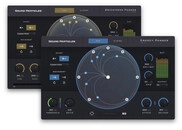


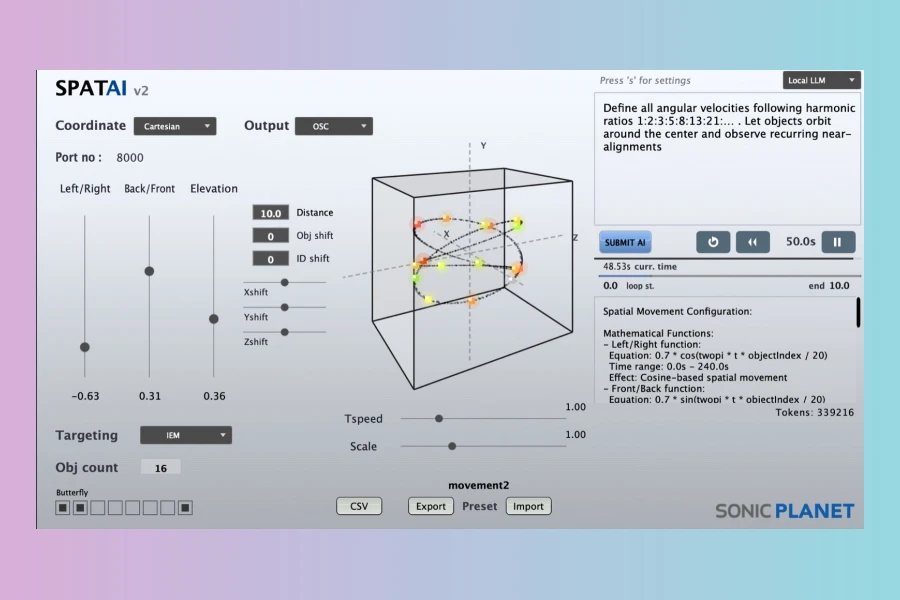
sonicLAB and sonicPlanet have announced the release of SPATAI v2, a significant update to their utility software. This new version introduces a range of features, notably enhancing its core functionality. SPATAI is designed to provide Large Language Model (LLM) AI assistance for manipulating sound objects within a virtual 3D acoustic environment. This tool allows producers and sound designers to create complex spatial movements with the aid of artificial intelligence. Furthermore, the update focuses on expanding integration and user flexibility.
Enhanced LLM Integration
A key enhancement in SPATAI v2 is its versatile LLM support. Users can now choose to run LLMs either locally on their own machines or through Cloud AI APIs. Running a Local LLM offers the advantage of not consuming tokens, which can be beneficial for extensive use. However, this option requires a computer with sufficient processing power. To facilitate local setup, the manual includes an appendix detailing the installation processes for Ollama and LMStudio on both OS X and Windows, enabling users to run downloaded LLMs directly. This flexibility provides options based on individual workflow and resource availability.
Expanded OSC Connectivity
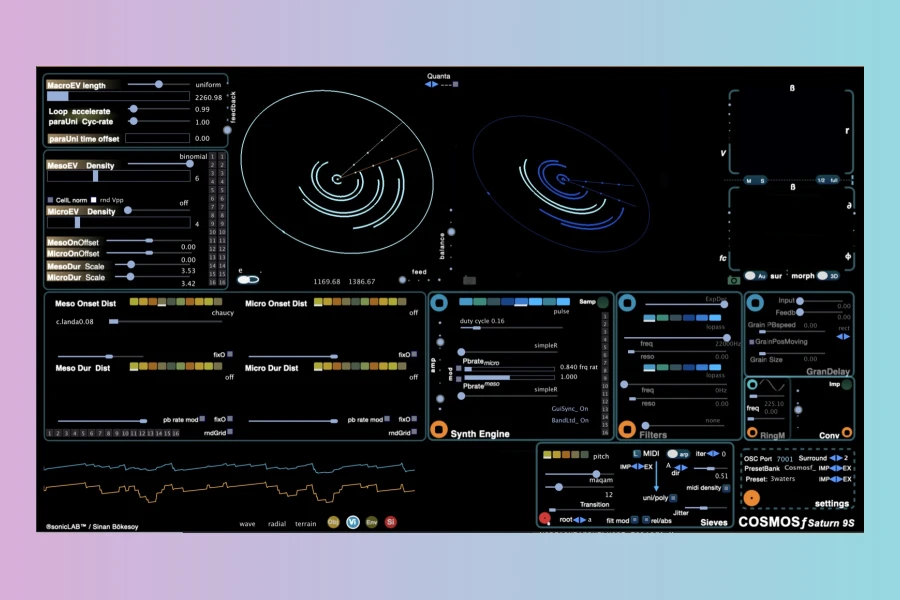
SPATAI v2 significantly broadens its interoperability with other spatial audio systems. Several new products can now be targeted via OSC (Open Sound Control). These include TimaxSpatial, L-acoustics (L-ISA), and SpatRevolution (FLUX). Moreover, ADM-OSC, an industry-suggested standard for OSC communication in spatial audio, has been fully implemented, further streamlining professional workflows. The software can also directly address Cosmosf Saturn, sonicLAB’s advanced stochastic synthesizer, which is capable of rendering up to 7th order ambisonic output in real-time. This expanded connectivity makes SPATAI v2 a more central component in advanced spatial audio setups.
Additional Features and Workflow Improvements
The update also brings several practical workflow improvements. A new CSV exporter allows users to extract object coordinate data between specified loop start and end points, facilitating analysis or integration with other tools. Additionally, an Object ID shift value field has been added, which will be applied to the OSC message ID of each object. A general settings panel now provides control over parameters such as OSC message send rate, OSC IP address, LLM URL address, and LLM model name. Importantly, all value text fields can be edited and updated dynamically, even while SPATAI is actively performing. Submitting new prompts will not interrupt the application’s actions, meaning users can continue existing animations while awaiting a prompt response, ensuring a fluid creative process.

Features
- Large Language Model AI assistance for 3D sound object movement.
- Supports both Local LLM (no token consumption) and Cloud AI API.
- Manual includes setup instructions for Ollama and LMStudio for local LLMs.
- Expanded OSC targeting for TimaxSpatial, L-acoustics (L-ISA), SpatRevolution (FLUX).
- ADM-OSC standard implemented for spatial audio communication.
- Direct addressing of Cosmosf Saturn for up to 7th order ambisonic output.
- CSV exporter for object coordinate data.
- Object ID shift value field.
- General settings panel for OSC send rate, IP, LLM URL, and model name.
- Real-time editing of value fields without interrupting performance.
- Non-interrupting prompt submission.
Pricing and Availability
Price
SPATAI v2 costs £15
SPATAI v2 is available as a free update for existing users. For new customers, the software costs £15 and can be purchased directly from the sonicLAB webshop.
👍 Pros
- ✓ AI-assisted 3D sound object movement with LLMs
- ✓ Supports both local LLM (no token consumption) and Cloud AI APIs
- ✓ Extensive OSC integration with other spatial audio tools
- ✓ Real-time editing of parameters without interrupting performance
- ✓ CSV exporter for object coordinate data
👎 Cons
- ✗ Local LLM use requires a capable computer
- ✗ Relies on external LLM installations (Ollama, LMStudio) for local use
More info: sonicLAB/sonicPlanet | SPATAI v2
HIT OR SHIT Indicator
💩
Indication by Noizefield
Average Indication by Readers
🚀
What do you think?
Hit or Shit? Please rate from 1 (💩) to 10 (🚀)
✅ You already voted. Thanks!
Check these out!