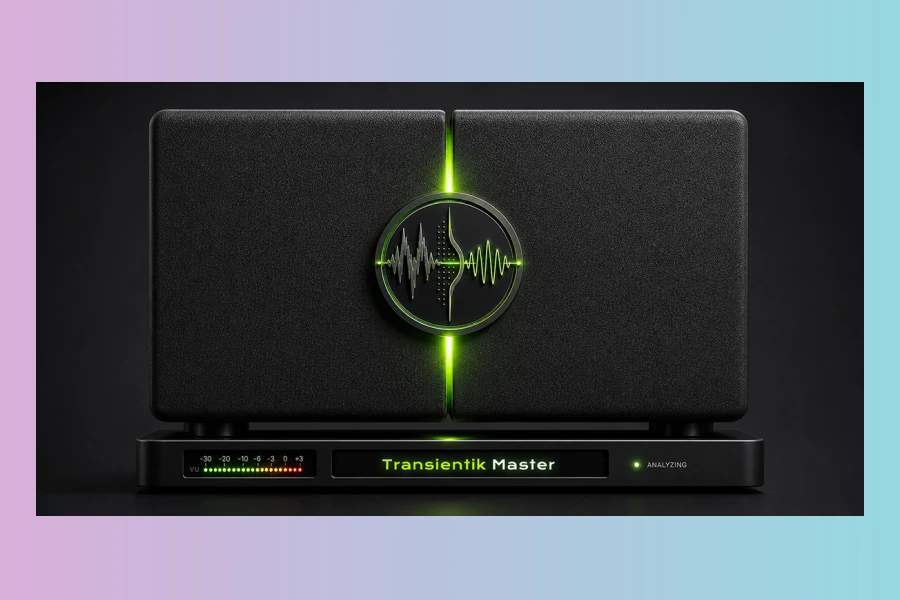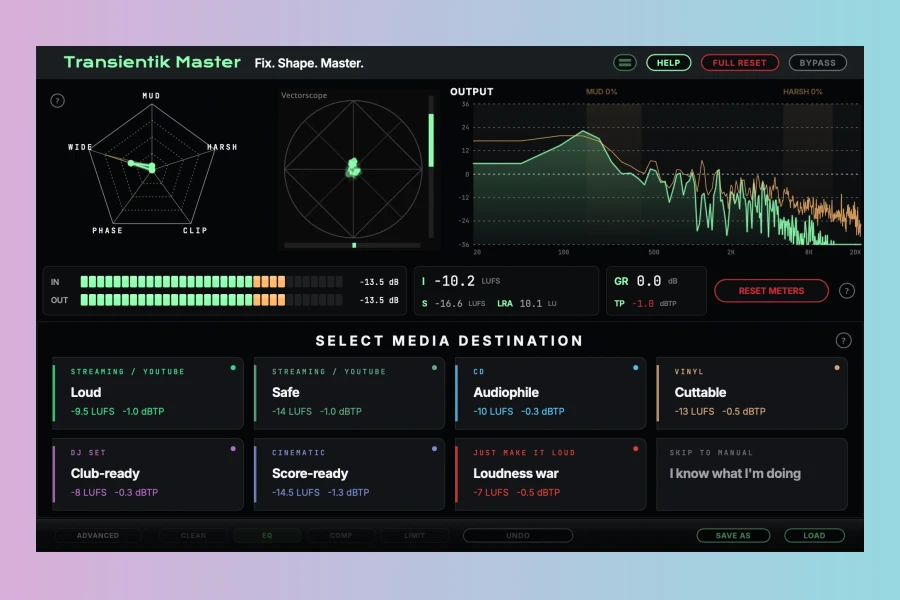
Transientik Labs has officially launched Transientik Master, a new scientific mastering and restoration plugin designed for Windows and macOS. This innovative tool aims to help producers achieve professional, release-ready mixes without the need for an external mastering engineer. Initially developed as an internal solution for cleaning up AI-generated tracks, the plugin proved equally effective for conventional, human-made mixes across various genres. Following a month of extensive closed beta testing involving producers, composers, mixing engineers, and AI music creators globally, it has now transitioned into a full commercial release.
Addressing the Mastering Challenge
Many producers frequently encounter the challenge of finalizing a mix to sound polished and competitive. Transientik Master specifically addresses this common hurdle. The plugin offers a structured, three-step workflow: Listen, Decide, and Fine-tune. This approach ensures a comprehensive process from start to finish. Firstly, the plugin conducts a thorough analysis pass of the entire track, meticulously assessing elements such as loudness, spectrum, stereo image, transients, and potential safety risks. Subsequently, it constructs a mastering plan tailored to the selected destination, utilizing deterministic rules. Finally, it allows users to refine the result while maintaining a clear view of the automatic baseline, which remains fully recoverable.
The Analysis-First Approach
A distinctive feature of Transientik Master is its analytical core. Unlike many automated mastering solutions, every decision made by the plugin is meticulously logged and explained through a system called DecisionTrace. This provides a readable, per-decision reasoning report, informing the user not just what changes were applied, but crucially, why those changes were implemented. Furthermore, it is important to note that no runtime AI model is involved in the actual processing chain. All digital signal processing (DSP) is entirely deterministic and operates 100% locally, ensuring no cloud dependency. The plugin offers eight distinct destination presets, each carefully tuned for a specific delivery context, including Streaming Loud, Streaming Safe, CD, Vinyl, DJ Set, Cinematic, Just Make It Loud, and a fully manual Skip/Manual mode for advanced users who desire direct access to the four underlying DSP stages: Clean, EQ, Compression, and Limiting.
Key Features and Workflow
Mastering a track with Transientik Master involves a straightforward six-step process. First, users press the START ANALYSIS button to arm the guided mastering wizard. The plugin then awaits audio input. Next, the user plays the entire track from the beginning in their DAW, allowing Transientik Master to analyze the full song, including spectrum, dynamics, transients, stereo balance, and section consistency. Once the analysis is complete, users select a destination from various options like Streaming Loud or Vinyl. These tiles represent loudness targets and processing profiles, with a color stripe indicating energy and an LED lighting up upon selection. Users can switch destinations in real time to re-resolve the master instantly. Finally, the FINE-TUNE menu offers 12 directions (e.g., Louder, Brighter Top) at three intensities for subtle adjustments. Once satisfied, hitting APPLY FINAL MASTER completes the process.
Features
- Deterministic mastering engine
- Guided mastering wizard with full track analysis
- DecisionTrace for transparent processing explanations
- Eight destination presets (Streaming Loud, CD, Vinyl, etc.)
- Real-time destination switching
- 12 fine-tuning directions with three intensity levels
- Manual mode for direct DSP stage access
- VST3 and AU formats
- Windows 10/11 and macOS 10.13+ compatibility
- Lightweight system requirements, no GPU or cloud dependency
- One license covers up to three machines
Availability and System Requirements
Transientik Master is available for a one-time purchase of $19.99. This price includes every future update, with no subscription required. The plugin operates as a VST3 and AU on both Windows 10/11 and macOS 10.13 and later, ensuring compatibility with both Intel and Apple Silicon Macs. It boasts lightweight system requirements, eliminating any need for GPU acceleration or cloud dependencies. A fully functional free demo version is also available, which is identical to the paid version except for a voiceover watermark that is removed upon activation. One license grants usage on up to three of a user’s own machines.
Pros
- Deterministic processing with clear DecisionTrace explanations
- Guided mastering workflow simplifies complex tasks
- Multiple destination presets for various output needs
- Comprehensive audio analysis for informed decisions
- One license covers up to three machines
Cons
- Demo version includes a voiceover watermark
- Requires playing the entire track for initial analysis
More info: Transientik Labs | Transientik Master
HIT OR SHIT Indicator
💩
Indication by Noizefield
Average Indication by Readers
🚀
What do you think?
Hit or Shit? Please rate from 1 (💩) to 10 (🚀)
✅ You already voted. Thanks!
Check these out!