Nagi: No-Code Plugin Builder from Minimal Instruments
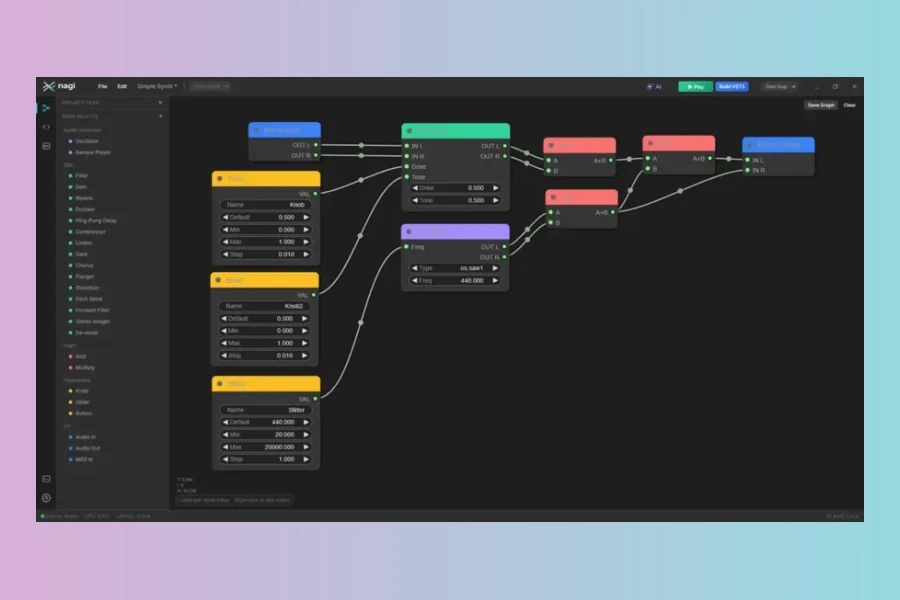
Minimal Instruments has released nagi, a new desktop application for macOS, Windows, and Linux that lets you design, audition, and build VST3 and CLAP audio plugins by wiring nodes together. The tool aims to lower the barrier for plugin development, eliminating the need for C++ or Rust knowledge.
What Is Nagi?
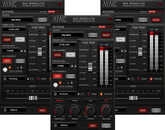
Nagi is a no-code plugin builder. It provides a visual node editor where you can drag oscillators, filters, dynamics, and effects onto a canvas. You connect them to create a signal chain. The app also includes an interface designer for laying out knobs, sliders, meters, and more. Additionally, it features an on-device AI assistant that can draft Faust DSP code or GUI layouts.
Key Features
The node editor ships with ready-made nodes such as reverb, compressor, chorus, flanger, de-esser, formant filter, and stereo imager. For finer control, you can switch to writing real Faust code with the full standard library. Instant preview lets you hear changes without compiling. You can build native VST3 and CLAP binaries directly from the app, either locally or in an isolated container. Projects are stored as plain JSON files, so they version well with Git.
Pricing and Availability
Downloading, patching, and building with nagi is free. The optional nagi Pro upgrade costs $99.00 after the beta phase. It unlocks extra capabilities and is a one-time purchase with no subscription. One license covers up to three computers. During the beta, the Pro license is free, but it will terminate after the beta ends.
First Impressions
Nagi addresses a real pain point for musicians who want custom plugins but lack programming skills. Its combination of visual patching, Faust support, and AI assistance is compelling. However, the free version may have limitations compared to Pro, and the tool is still in beta, so stability is not guaranteed. That said, the cross-platform support and local AI are promising.Features
- No-code node editor with ready-made DSP nodes
- Full Faust standard library for advanced scripting
- Instant preview before compiling
- Interface designer with knobs, sliders, meters, and more
- On-device AI assistant for DSP and GUI generation
- Builds VST3 and CLAP plugins for Windows, Linux, and macOS
- Projects stored as plain files; no account required
Price
Free base version
Pro: $99.00 (one-time, after beta)
Pros
- No-code visual node editor
- Cross-platform builds for VST3 and CLAP
- On-device AI assistant for Faust and GUI design
Cons
- Free version has limited capabilities compared to Pro
- Still in beta, so stability may be an issue
More info: Minimal Instruments | nagi
HIT OR SHIT Indicator
💩
Indication by Noizefield
Average Indication by Readers
🚀
What do you think?
Hit or Shit? Please rate from 1 (💩) to 10 (🚀)
✅ You already voted. Thanks!
Check these out!