LumaDeck Web: Browser-Based Live Visual Instrument for VJs

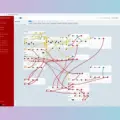
CJ Development has released LumaDeck Web, a browser-based live visual instrument aimed at DJs, VJs, musicians, bands and venues. The tool runs directly in desktop Chrome (with Android tablet support) and separates the performer’s control surface from the clean visual output shown to the audience.
Three Ways to Perform
LumaDeck is organized around three workflows. Auto uses an Auto Conductor that reacts to the music and changes scenes automatically. Perform gives direct control over scenes, layers and effects, with 48 scene pads and 19 live controls mappable to a MIDI controller via WebMIDI Learn. Create lets users load their own local video loops and custom GLSL shaders, which are validated locally and connected to the same reactive bus.
Visuals and Output
The free plan includes 48 real-time audio-reactive scenes, expandable to a catalog of 239 visuals through optional packs. Beat-reactive modes work with microphone, line input or SYNC. Live effects include blackout, strobe, freeze, glitch, mirror and color controls. Audience output can run fullscreen, on a second display or in a second browser window; NDI output is available through the separate LumaDeck Output Bridge and the official NDI runtime.
Local-First Workflow
Videos, GLSL source and MIDI mappings stay on the user’s device. Cloud sync in Web Pro stores show configuration and references, but media files remain local and may need relinking after a restore.
Features
- 48 free audio-reactive scenes, expandable to 239 visuals
- Separate Master control surface and clean audience output
- WebMIDI mapping: 48 scene pads and 19 live controls (Web Pro)
- Custom GLSL shader support and local video playback
- Live FX: blackout, strobe, glitch, mirror, freeze and more
- Beat-reactive modes (mic, line, SYNC)
- Optional NDI output via LumaDeck Output Bridge
Price
Free plan: €0
Web Pro: €9.99/month or €79.99/year (incl. VAT)
Pros
- Runs in the browser with a capable free plan and no signup
- Separate clean audience output and performer Master surface
- Custom GLSL shaders and local video support with local-first workflow
Cons
- NDI output requires an additional bridge app and NDI runtime
- Web Pro is subscription-based; performance limits in free tier (24 pads, 1 video)
More info: CJ Development | LumaDeck Web
HIT OR SHIT Indicator
💩
Indication by Noizefield
Average Indication by Readers
🚀
What do you think?
Hit or Shit? Please rate from 1 (💩) to 10 (🚀)
✅ You already voted. Thanks!
Check these out!