Lock the Design and Start Implementing a VST with APC – Walkthrough Part 5
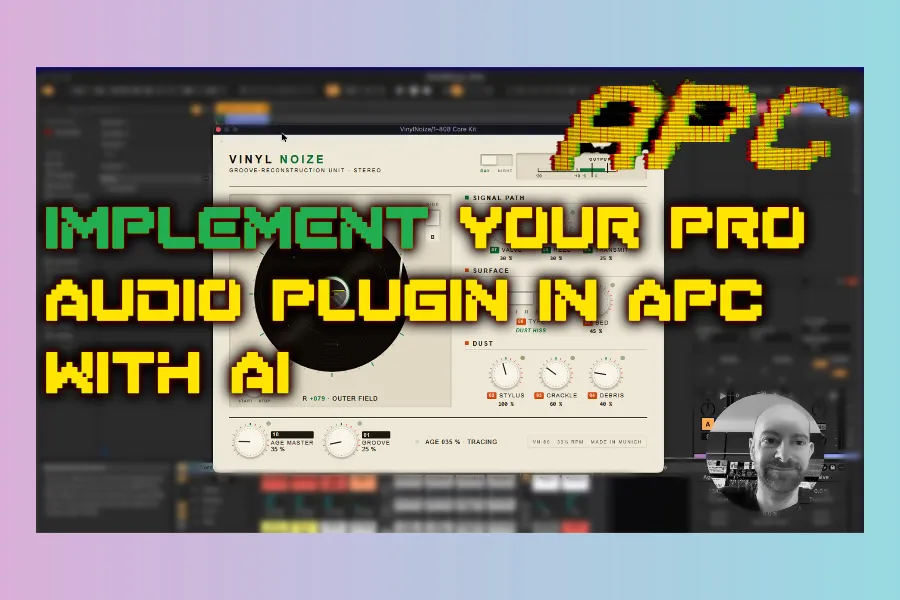
Part 5 of the Audio Plugin Coder (APC) series: finish the Vinyl Noise UI, lock Design, convert to production WebView files, and start Implement — including real troubleshooting when paths and browser CORS get in the way.
Part 5 — DESIGN lock + IMPLEMENT start
A/B sides · scratch · templates · JUCE WebView · debug.

Final design polish
After overnight tweaks: spacing, full-width dividers, improved VU, disc reflection, age/dust tied to the Age control, and a consistent arm position. Manual HTML edits can become a new UI spec (e.g. v7), then ask the agent for a clean v8 with dynamic footer copy re-wired to Age.
Extra features folded into the plan before lock-in:
- A / B sides — logo on side A, graphic on side B; flip should change visuals and audio character (noise print, stereo, EQ tilt, crackle density, etc.)
- Scratch / spin — pointer interaction stops or scratches the disc (with optional audio later)
- Optional needle-drop / flip whoosh as tasteful ear candy when the plugin is idle
Once happy, approve / lock the design and optionally save it to the design library (here nicknamed something like “Rom 60”) for future plugins.
From HTML mockup to JUCE WebView
Implement converts the plain design into the WebView layout JUCE expects (e.g. under Source/UI/public with JS/CSS/assets). If plugins live outside the APC repo (as set in Part 1), the agent may ask to write outside the project root — allow that when paths match your setup.
/apc-impl VinylNoise
Then test the generated HTML in a browser. Broken knobs, missing canvas, or a dead flip switch usually mean a JS/CORS issue — open DevTools, copy console errors into the agent, and point it at APC’s troubleshooting skills / known-issues docs.
Troubleshooting workflow (built into APC)
- Show hidden folders on macOS with Cmd+Shift+Period
- Ask the agent to read troubleshooting guides / skills for the exact error
- You can request a new troubleshooting note or skill when you hit a novel bug
- Localhost preview servers sometimes help when
file://blocks scripts
In the video, a path bug in APC (external plugins folder) was fixed in parallel; after that, knobs, scratch, flip, arm motion, and presets worked well enough to approve the WebView UI and continue Implement.
What “approve” means
Design complete → status advances → Implement continues into DSP binding and host builds. You can still refuse automatic git commits if you prefer to commit yourself.
Series recap
- Setup — install APC, folders, WebView, models
- Dream — Vinyl Noise brief + sample fingerprint
- Plan — architecture and risks
- Design — iterate HTML UI
- Lock + Implement — WebView production files and debug (this part)
Next phases in APC: finish DSP, /apc-test, then /apc-ship for installers and CI.
Get APC: github.com/Noizefield/audio-plugin-coder
Related: APC launch · Create VST3 plugins with AI · CloudWash (built with APC)
HIT OR SHIT Indicator
💩
Indication by Noizefield
Average Indication by Readers
🚀
What do you think?
Hit or Shit? Please rate from 1 (💩) to 10 (🚀)
✅ You already voted. Thanks!
Check these out!