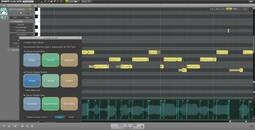


This video shows how to streamline your process through a round-trip workflow with RX 4’s Connect and Monitor modules in 3 easy steps. Download your free, 10-day trial: https://www.izotope.com/en/support/product-downloads/rx-4
RX Connect enables you to use the powerful tools in the RX standalone application in conjunction with your audio or video editing software without slowing down productivity. Send audio from your host application (DAW/NLE) to RX, where you can repair and enhance. Quickly return the new audio back to your host in place of the original audio.
RX Monitor enables you to monitor your audio from the RX application through your host application (DAW/NLE). For applications like Pro Tools, which does not allow other applications to use their hardware while launched, this is an essential plug-in.
HIT OR SHIT Indicator
💩
Average Indication by Readers
🚀
What do you think?
Hit or Shit? Please rate from 1 (💩) to 10 (🚀)
✅ You already voted. Thanks!
Check these out!