

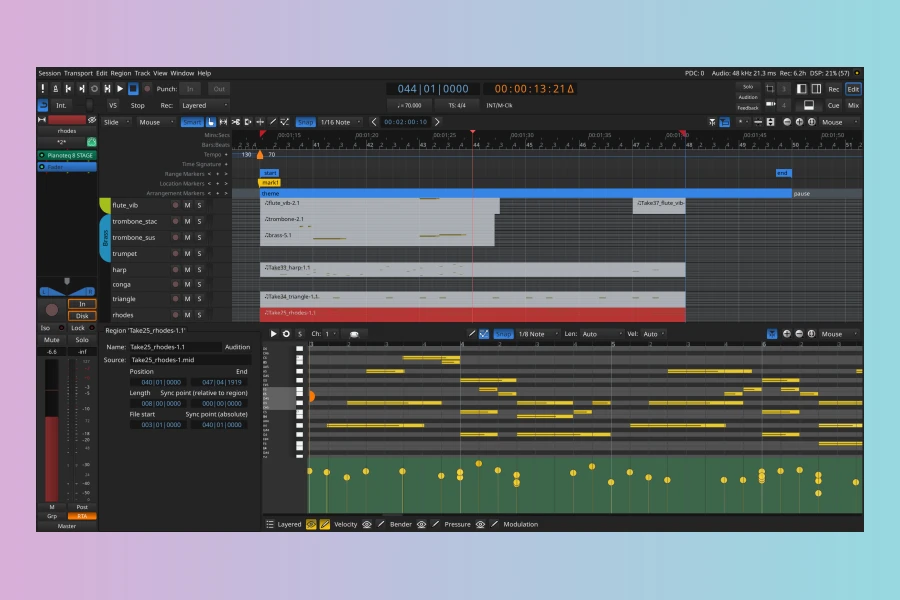
The open-source digital audio workstation (DAW) Ardour has released its latest iteration, Ardour 9.0. This update introduces a host of new features, along with various quality-of-life improvements and essential bugfixes. It aims to enhance the user experience for music producers and audio engineers alike. The development team focused on refining core functionalities and expanding the software’s capabilities, particularly in MIDI editing and workflow efficiency.
Enhanced MIDI Editing and Sequencing
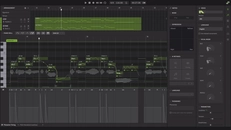
A significant highlight of Ardour 9.0 is the introduction of dedicated Pianoroll windows for MIDI editing. This feature provides a more intuitive and visually comprehensive environment for composing and refining MIDI performances. Moreover, the update includes a new bottom pane within the cue sequencer. This pane is specifically designed for editing both MIDI and audio clips. Consequently, this integration streamlines the editing process, allowing users to work more efficiently within a single view. Furthermore, clips can now be recorded directly within the cue sequencer. This significantly improves the spontaneity and flexibility of the recording workflow. These enhancements collectively aim to make MIDI production within Ardour more fluid and powerful.
Advanced Audio Processing and Workflow
Ardour 9.0 also brings powerful new tools for audio manipulation. One notable addition is Region effects, which allow users to apply effects directly to specific audio regions. This offers greater precision and creative control over their sound design. In addition, the software now features a Real-time perceptual analyzer. This provides valuable feedback on audio characteristics as they are being processed. For those working with automation, keyboard-driven automation editing has been implemented. This offers a faster and more precise method for adjusting parameters. Beyond these, the ability to import and export mixer strips facilitates the exchange of processing chains between different sessions. This proves invaluable for collaborative projects or template creation.
User Interface and Hardware Integration
Several improvements have been made to Ardour’s user interface to enhance usability. For instance, the New/Open/Recent Session dialog has been improved, making it easier to manage projects. The ruler UI has also been revamped for better clarity and navigation. Step recording, a crucial feature for many producers, has received improvements, further refining the precision of input. Furthermore, Ardour 9.0 introduces better AAF importing support. This is beneficial for interoperability with other professional audio applications.Performance has also seen attention. There is a reported faster UI on macOS, ensuring a smoother experience for Apple users. In terms of hardware compatibility, the update includes new MIDI maps for a range of contemporary gear. These include devices from manufacturers such as Novation, Nektar, and Arturia. Similarly, support for Icon Pro Audio V1-M, P1-M, and P-NANO controllers has been improved. This ensures seamless integration for users of these popular devices. Consequently, Ardour 9.0 continues to evolve as a robust and versatile DAW for electronic music production and beyond.Features
- Pianoroll windows for MIDI editing
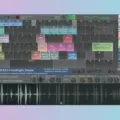
- New bottom pane in cue sequencer for MIDI and audio clip editing
- Clips recording in the cue sequencer
- Region effects
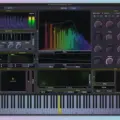
- Real-time perceptual analyzer
- Note brushing
- Keyboard-driven automation editing
- Mixer strips importing and exporting
- Multitouch support for Windows and Linux
- Improved New/Open/Recent Session dialog
- Revamped ruler UI
- Step recording improvements
- Better AAF importing support
- Faster UI on macOS
- MIDI maps for newer Novation, Nektar, and Arturia gear
- Improved support for Icon Pro Audio V1-M, P1-M, and P-NANO controllers
👍 Pros
- ✓ Comprehensive MIDI editing with dedicated pianoroll and note brushing.
- ✓ Enhanced workflow for cue sequencing, including direct clip recording and editing.
- ✓ Improved mixing capabilities through region effects and mixer strip import/export.
👎 Cons
- ✗ Potential learning curve for users accustomed to commercial digital audio workstations.
- ✗ Support primarily driven by community forums, which may differ from dedicated commercial support.

More info: Ardour | Ardour 9.0
HIT OR SHIT Indicator
💩
Indication by Noizefield
Average Indication by Readers
🚀
What do you think?
Hit or Shit? Please rate from 1 (💩) to 10 (🚀)
✅ You already voted. Thanks!
Check these out!