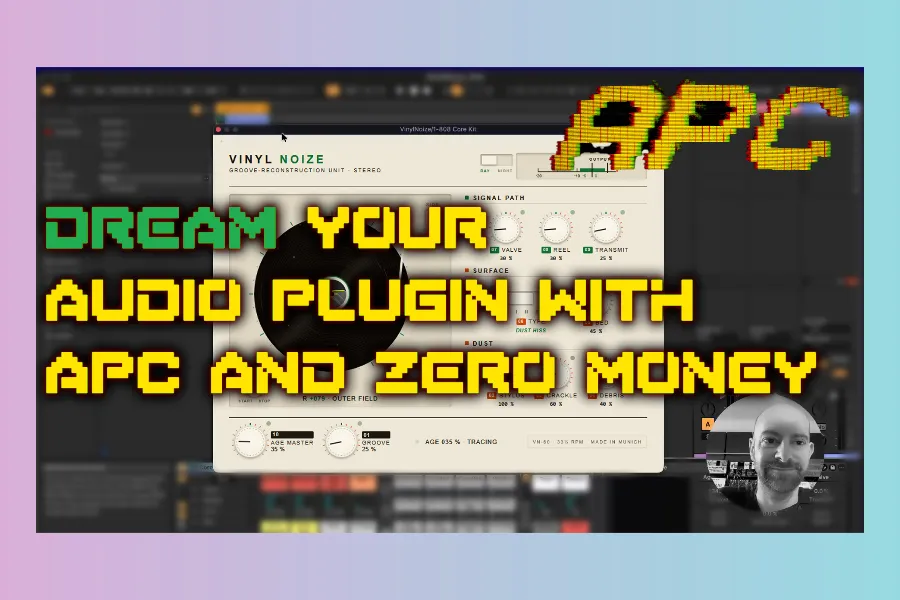
Part 2 of the free Audio Plugin Coder (APC) walkthrough: turn a vague vinyl idea into a real plugin brief — with sample analysis, parameters, and a creative direction the AI can actually build.
Part 2 — DREAM
/apc-dream VinylNoise · ideation, fingerprinting, parameter spec.

Watch Part 2 on YouTube · Missed setup? Start with Walkthrough Part 1.
The plugin idea: Vinyl Noise
Instead of another generic “vinyl crackle” clone, the goal is a gritty, high-fidelity 1960s broadcast character — dusty, imperfect, and grounded in real turntable captures.
- Emulate imperfect vinyl (noise floor, rumble, crackle) from custom loops
- Optional tape + tube colour — without copying stock “bias / filter” UIs
- Effect amount roughly 0–100 (and beyond, e.g. up to 200)
- ~10 focused controls, not a kitchen-sink panel
Hundreds of loops from an old turntable (and a slightly imperfect cartridge) live in the APC workspace under a vinyl samples folder — those WAVs become the sonic reference.
What /apc-dream does
APC’s Dream phase turns natural language into durable project files so the next agent session does not start from zero:
creative-brief.md— hook, character, use casesparameter-spec.md— knobs, ranges, defaults- Analysis / fingerprint notes when you feed reference audio
status.json— phase state for resume / plan
Sample fingerprinting in practice
Because the brief demanded fidelity to the recordings, the agent wrote analysis scripts early — unusual for a pure “planning” step, but useful here. It scanned dozens of loops (44.1 kHz / 16-bit), noting:
- Dark, dusty spectral character and hot levels
- High noise floor with strong rumble and crackle
- Nearly mono program with out-of-phase HF surface noise
- Wow/flutter and THD-style proxies from the captures
- Crackle density varying a lot across the set
That last point sparked a feature request mid-session: map groove position — quality often worsens toward the label (inner-groove distortion as linear velocity drops and HF wavelengths shorten). APC locked that into the brief as a macro control for later phases.
How to run Dream yourself
- Finish Part 1 setup.
- Point the agent at your reference audio folder.
- Run
/apc-dream VinylNoise(or your plugin name) and paste a detailed dream prompt. - Read the brief, answer clarifying questions, and steer parameters before Plan.
/apc-dream VinylNoise
Tip: be specific about what you do not want (generic crackle packs, boring filter stacks). APC follows creative constraints as well as feature lists.
Outputs to expect
- Plugin folder (e.g. Vinyl Noise) with ideation docs
- Vinyl fingerprint / analysis artifacts
- Status pointing to the next phase: Plan
Next up
Part 3 runs /apc-plan: WebView vs Visage, DSP architecture, and high-risk notes — after optionally clearing chat context so the model reads the files instead of a compressed history.
Get APC: github.com/Noizefield/audio-plugin-coder
Series: Part 1 — Setup · Part 3 — Plan (coming next on the blog)
HIT OR SHIT Indicator
💩
Indication by Noizefield
Average Indication by Readers
🚀
What do you think?
Hit or Shit? Please rate from 1 (💩) to 10 (🚀)
✅ You already voted. Thanks!
Check these out!