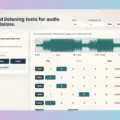
Hell Yes Loop Lab has introduced Ears and Ears, a new standalone application designed for macOS and Windows. This tool aims to provide an objective platform for comparing mixes, masters, and reference tracks, specifically by addressing the common issue of the loudness illusion. It empowers producers and engineers to make more informed decisions during the critical stages of audio production, ensuring that judgments are based on true sonic qualities rather than perceived volume.
Fair Compare: Eliminating the Loudness Illusion
The core of Ears and Ears is its unique Fair Compare mode. This feature diligently matches playback levels to the quietest loaded file. Consequently, louder versions are attenuated, rather than boosting quieter ones. This approach is crucial because it helps producers and engineers make critical decisions based on genuine tonal balance, dynamics, punch, and detail, rather than being swayed by perceived loudness. Users can load up to eight distinct audio files into the application, allowing for comprehensive evaluations. Furthermore, instant switching between these versions facilitates a seamless comparison process, making A/B testing highly efficient.
Advanced Listening Tools for Precision
In addition to loudness matching, the app integrates LUFS and True Peak readouts, offering objective metrics for analysis alongside subjective listening. For more focused listening, the Focus Loop function allows users to define specific sections of a track (e.g., a chorus, a drop, or a vocal peak) using Set In and Set Out markers. This enables repeated playback of the same musical moment across all loaded versions, ensuring that critical sections are assessed consistently and precisely. Moreover, Ears and Ears streamlines the comparison workflow with several practical features. For instance, waveform navigation allows users to click and seek to specific points in the audio. Additionally, the “Find Hot Spot” function helps quickly locate the loudest section of a track, which can be invaluable for identifying potential issues. Once a preferred version is identified, users can mark it using “The One” marker, aiding in decision finalization. Importantly, Ears and Ears operates as a dedicated listening tool; it does not perform any mastering, limiting, normalization, or export functions, nor does it alter the original audio files in any way. It supports common audio formats such as WAV, AIFF, FLAC, MP3, and M4A, ensuring broad compatibility.
Installation and Availability
Installation of Ears and Ears is straightforward, requiring no complex installers or DAW integration. Users simply unzip the downloaded file and open the standalone application for their respective operating system. The application is available now for both macOS and Windows, offering an accessible solution for objective audio comparison. Because of its standalone nature, it can be used independently of any digital audio workstation.
Features
- Compare up to 8 audio files
- Instant switching between versions
- Fair Compare loudness matching
- LUFS and True Peak readouts
- Listen Mode and streaming loudness preview
- Focus Loop with Set In and Set Out
- Waveform click to seek
- Find Hot Spot
- The One marker for your chosen version
- WAV, AIFF, FLAC, MP3 and M4A support
- Standalone operation with no DAW required
Price
Intro: $12.00
Regular: $19.00
👍 Pros
- ✓ Eliminates loudness illusion for objective mix/master comparison.
- ✓ Compares up to 8 audio files with instant switching and focused looping.
- ✓ Standalone application, compatible with macOS and Windows, no DAW required.
👎 Cons
- ✗ Does not offer audio modification, export, or mastering functionalities.
- ✗ Potential system-dependent compatibility issues with some compressed audio formats.
More info: Hell Yes Loop Lab | Ears and Ears
HIT OR SHIT Indicator
💩
Indication by Noizefield
Average Indication by Readers
🚀
What do you think?
Hit or Shit? Please rate from 1 (💩) to 10 (🚀)
✅ You already voted. Thanks!
Check these out!