
Floe 2.0: Granular Synthesis & Arpeggiator Added
FrozenPlain has released Floe 2.0, a major update to its free, open-source plugin. This update introduces granular synthesis, a per-layer arpeggiator, and a redesigned interface. Available for Windows, macOS, and Linux, Floe 2.0 works as a CLAP, VST3, or AU plugin. It’s free to download and use with all FrozenPlain sample libraries.
Granular Synthesis and Arpeggiator
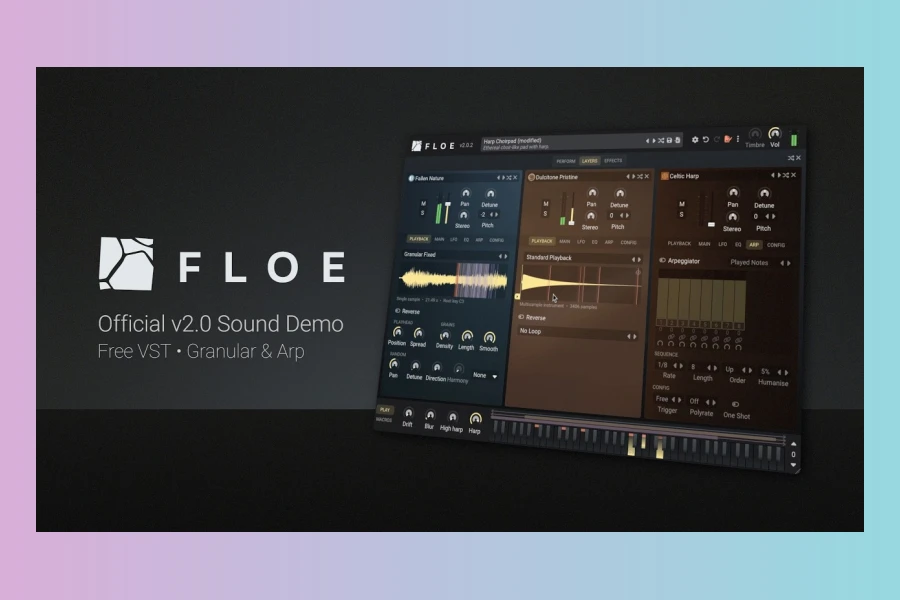
Each of Floe’s three layers can now play samples as grains. This allows you to stretch, blur, and reshape sounds into evolving pads. The granular engine works with every Floe library, even older ones. Additionally, each layer has its own tempo-synced arpeggiator. You can control rate, length, step ties, and humanisation. This makes it easy to create complex, interlocking sequences from a single chord.
Redesigned Interface
The interface has been reorganised into two main pages: LAYERS and EFFECTS. There’s also a PERFORM view for live playing. Filters and EQ are now visual. You can drag nodes to shape the sound directly. LFOs also display their modulation shapes visually. The update includes a randomisation strip, stereo width controls, and a new compressor algorithm. Undo/redo and right-click menus improve the workflow.
Free Instruments and Libraries
FrozenPlain has updated its free libraries to support the new features. Music Box Suite Free now includes presets that use granular and arpeggiator functions. Community packages, such as Taiko Drums and Celtic Harp, are also updated. All instruments and presets are now fully tagged for easier searching.
In summary, Floe 2.0 is a powerful update that adds significant sound design capabilities. It’s a must-try for fans of FrozenPlain’s libraries. The update is free for existing users, and the plugin itself remains free and open source.
Features
- Granular synthesis engine on all layers
- Per-layer arpeggiator with humanisation
- Redesigned UI with LAYERS and EFFECTS pages
- Visual filters, EQ, and LFOs
- Randomisation strip and stereo width controls
- Free and open source
Pros
- Free and open source
- Granular synthesis and arpeggiator on every layer
- Cross-platform with multiple plugin formats
Cons
- Requires separate download of libraries
- New features may have a learning curve

More info: FrozenPlain | Floe 2.0