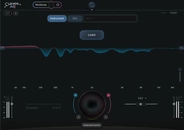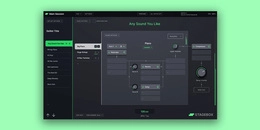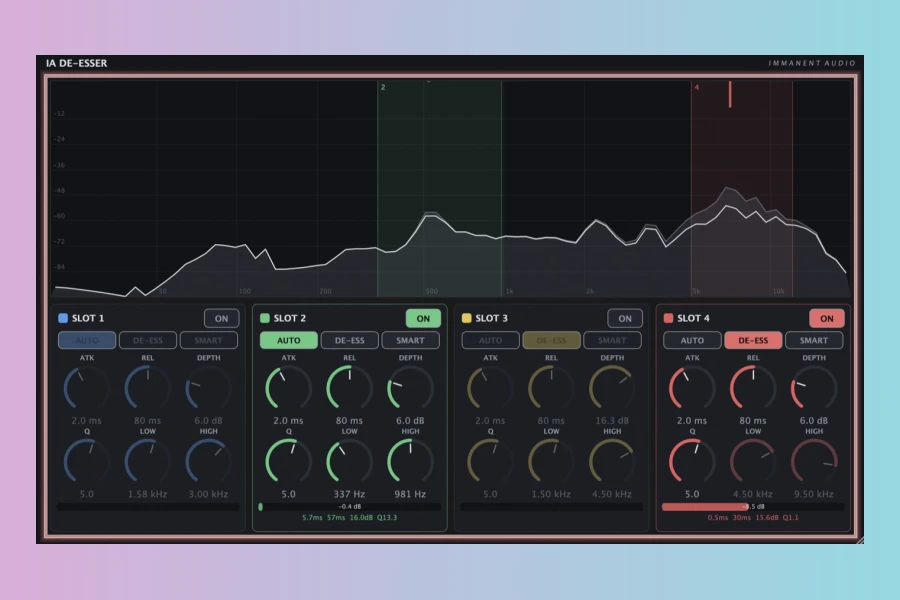
Immanent Audio has announced the release of the IA De-Esser, a free de-essing and resonance suppression plugin. It is available in AU and VST3 formats for macOS and Windows. This new tool aims to simplify the process of taming sibilance and harshness across the audio spectrum.
Four Filter Slots and Four Modes
The plugin features four filter slots, each offering four distinct modes. De-Ess Mode automatically finds and tames sibilance. Auto Mode locks in your Low-Cut and Hi-Cut settings, letting the plugin choose depth and Q intelligently. Smart Mode hunts for problematic areas and moves the slot there automatically. Manual Mode provides full control for surgical adjustments. Therefore, users can choose the level of automation that fits their workflow.
Designed for Transparency
IA De-Esser allows you to cut only the harshness you want to remove. This approach helps avoid an over-processed feel. Moreover, Smart Mode works as a set-and-forget solution. You can also follow its movements to set your cuts manually. Additionally, the plugin adds zero latency to your DAW session. As a result, it is suitable for tracking and mixing alike.
Compatibility and Availability
The plugin is compatible with both Windows and macOS. It supports VST3 and AU formats. Therefore, most modern DAWs will recognize it without issues. As a free release, it offers excellent value for producers seeking clean de-essing. In addition, the four modes provide flexibility for different source material. For instance, vocal sibilance, cymbal harshness, and guitar pick noise can all be addressed effectively.
Features
- 4 filter slots with independent mode selection
- De-Ess, Auto, Smart, and Manual modes
- Zero added DAW latency
- Windows and macOS compatibility (VST3, AU)
- Free download
Overall, IA De-Esser is a practical tool for mixing vocals and other bright sources. Its combination of automatic and manual modes is particularly useful. Consequently, it can serve both beginners and experienced engineers. The lack of AAX support might be a limitation for Pro Tools users. Nevertheless, the free price point makes it worth trying.
Pros
- Four filter slots with multiple modes for versatile de-essing
- Zero latency and cross-platform compatibility (AU/VST3)
- Free to download and use
Cons
- No AAX support for Pro Tools users
- Manual mode may require time to learn for optimal results
More info: Immanent Audio | IA De-Esser
HIT OR SHIT Indicator
💩
Indication by Noizefield
Average Indication by Readers
🚀
What do you think?
Hit or Shit? Please rate from 1 (💩) to 10 (🚀)
✅ You already voted. Thanks!
Check these out!