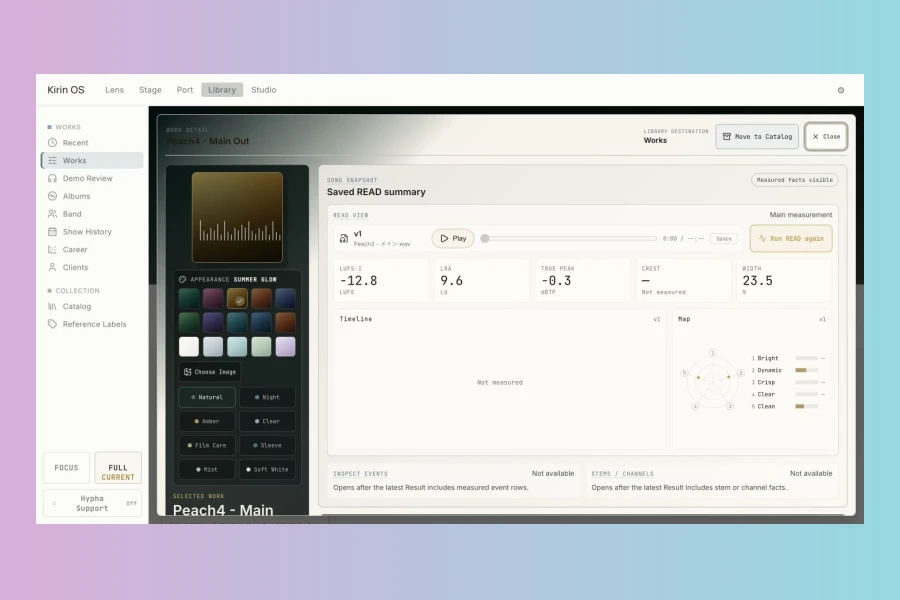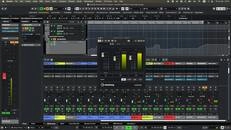
Kirin Mastering has officially launched Kirin OS 1.0, a new standalone application designed for macOS and Windows. This innovative software provides comprehensive tools for audio measurement, version comparison, and meticulous record-keeping in music production workflows. It aims to streamline the process of analyzing and managing audio projects, ensuring that all related files and production notes remain organized and easily accessible.
Upon dropping an audio file into Kirin OS, the application automatically initiates measurement processes. The READ function delivers detailed, song-level insights into crucial parameters such as loudness, True Peak, LRA (Loudness Range), stereo width, phase, and dynamics. This allows producers and mastering engineers to quickly assess the overall characteristics of their audio. Furthermore, the INSPECT feature identifies and lists detected audio anomalies like hiss, clicks, and crackles, complete with precise timecodes, facilitating targeted clean-up efforts.
Advanced Comparison and Workflow Tools
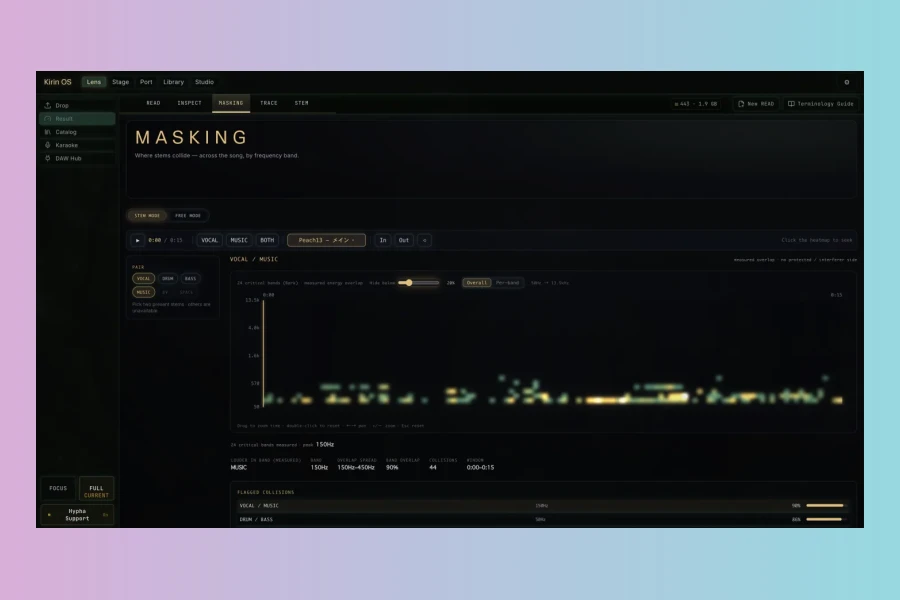
Kirin OS goes beyond basic measurement with its advanced comparison capabilities. The MASKING function visually represents where two or more audio files overlap across both time and 24 Bark bands, which is particularly useful for analyzing stems or different versions of a mix. Moreover, the TRACE feature integrates with the free Kirin Hypha plug-in, allowing users to review PRE/POST measurements and observe differences in real-time as audio plays within their DAW.
Significantly, Kirin OS is not just a measurement tool; it serves as a robust project management hub. Each “Work” within the application can house multiple versions, individual stems, credits, production notes, artwork, release details, rights metadata, and other related files. This integrated approach ensures that all elements pertaining to a song are kept together. For instance, versions can be seamlessly switched at the same playback position, thus maintaining context during critical comparison tasks. It is important to note that Kirin OS operates non-destructively, meaning it does not process or alter the source audio files. All project and measurement data are stored locally on the user’s computer, providing privacy and control without requiring a Kirin account or subscription, though an internet connection is needed for initial activation and periodic license checks.
Features
- Comprehensive audio measurement: Loudness, True Peak, LRA, Stereo Width, Phase, Dynamics.
- Anomaly detection: Lists hiss, click, and crackle events with timecodes.
- Version comparison: Switch between versions at the same playback position.
- Stem analysis: MASKING shows overlap across time and frequency bands.
- Integrated record-keeping: Stores versions, stems, credits, notes, artwork, and metadata.
- PRE/POST measurement via free Kirin Hypha plug-in.
- Non-destructive workflow: No audio processing or alteration of source files.
- Cross-platform compatibility: Supports macOS 12+ (Apple Silicon/Intel) and Windows 10/11 (x64).
- Local data storage: Project and measurement data remain on the user’s device.
Price
Kirin OS
Launch Menu (through Sep 30, 2026): $297
Regular: $497 (from Oct 1)
Kirin Sense
Launch Menu (through Sep 30, 2026): $39
Regular: $59 (from Oct 1)
Kirin Hypha
Free
A 14-day free evaluation of the full Kirin OS application is available, requiring no payment information, subscription, or automatic billing. This allows potential users to experience all features firsthand before committing to a purchase. The permanent license permits activation on up to three devices, offering flexibility for various studio setups. Furthermore, existing Kirin Sense owners can take advantage of a special upgrade path to Kirin OS.
👍 Pros
- ✓ Comprehensive audio measurement features (loudness, true peak, phase, etc.).
- ✓ Robust version comparison and production record-keeping system.
- ✓ Non-destructive workflow with local data storage and no audio processing.
👎 Cons
- ✗ Requires macOS 12+ or Windows 10/11 (x64).
- ✗ Initial activation and periodic license checks require an internet connection.

More info: Kirin Mastering | Kirin OS 1.0
HIT OR SHIT Indicator
💩
Indication by Noizefield
Average Indication by Readers
🚀
What do you think?
Hit or Shit? Please rate from 1 (💩) to 10 (🚀)
✅ You already voted. Thanks!
Check these out!