Omarchy Linux for Music Production: Why This Could Be the Best Linux Distro for Electronic Musicians
Omarchy Linux for Music Production: Why This Could Be the Best Linux Distro for Electronic Musicians
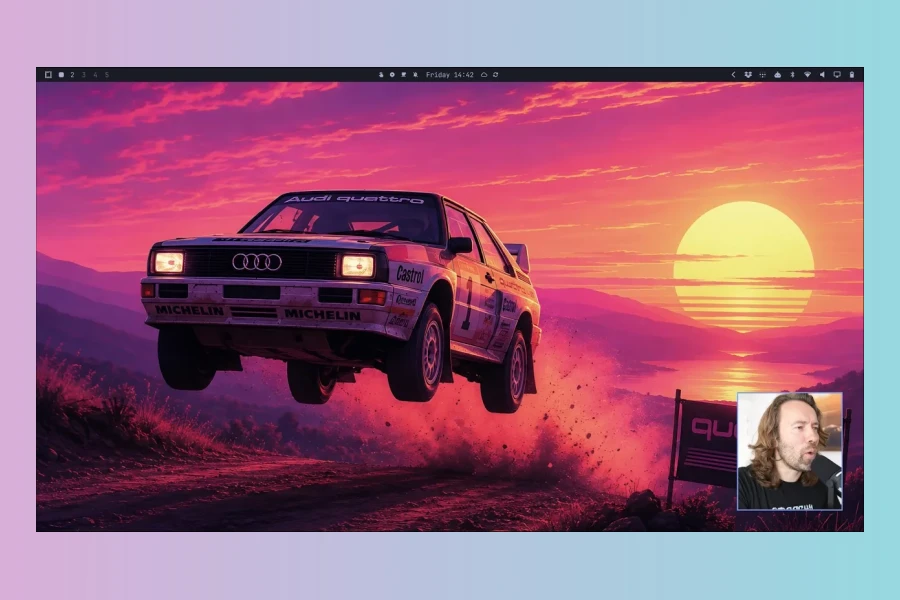
Omarchy is one of the most interesting Linux distributions to appear in a long time, and not simply because it looks different. Built around Arch Linux, the Hyprland tiling window manager, and a highly integrated desktop environment, Omarchy takes a very opinionated approach to how you should interact with your computer.
For electronic musicians and music producers, that approach is surprisingly compelling.

Instead of surrounding you with menus, docks, system trays, background services, and endless graphical configuration panels, Omarchy is built around speed, keyboard control, efficient window management, a lightweight desktop, the terminal, and increasingly deep AI integration.
That combination makes it particularly interesting for producers who spend their days moving between a DAW, synthesizers, samplers, plugin documentation, sample libraries, browsers, terminals, file managers, MIDI tools, and AI assistants.
Omarchy is not trying to make Linux look like Windows or macOS. It is trying to create a different way of working.
And that difference may be exactly why electronic musicians should be paying attention.
What Is Omarchy Linux?
Omarchy is an opinionated Linux desktop environment and distribution built on Arch Linux, using Hyprland as its tiling Wayland compositor and Quickshell for much of its desktop shell.
The official Omarchy project describes it as a complete system designed around productivity, aesthetics, and minimal bloat rather than a conventional collection of desktop applications. It comes with a carefully curated selection of software and a consistent system-wide workflow.
The result is very different from a traditional Linux desktop such as Ubuntu, Linux Mint, or KDE Plasma.
Omarchy has no traditional desktop-and-dock workflow at its core. Instead, applications, workspaces, windows, settings, system functions, and even AI tools can be controlled from the keyboard.
That might sound like something designed for developers.
But for a music producer, it can make an enormous amount of sense.
Why Omarchy Is Interesting for Music Producers
Electronic music production is increasingly a computer-centric workflow. A modern producer might simultaneously have a DAW open alongside a synthesizer manual, a browser, a sample folder, a plugin installer, a MIDI utility, an AI assistant, a terminal, a reference track, and several audio applications.
Traditional desktop environments tend to make you manage all of those windows manually.
Omarchy approaches the problem differently.
Applications are organized into tiling windows and workspaces, and the keyboard becomes the primary interface for moving between them.
That can be particularly useful when you are working on a large electronic music project where dozens of windows compete for screen space.
The Window Management Is Probably Omarchy’s Biggest Advantage for Producers
Hyprland’s tiling workflow is one of the reasons Omarchy feels so different from a conventional desktop.
Instead of constantly dragging windows around, resizing plugin editors, minimizing browsers, and searching for applications behind your DAW, windows can automatically organize themselves into a usable layout.
For example, imagine a production workspace containing:
- Your DAW occupying the main area.
- A browser or documentation window beside it.
- A terminal running an audio utility or AI assistant.
- A file manager containing your samples.
Instead of manually arranging those windows every time, Omarchy can maintain a structured workspace around them.
And the important part is that you can control the layout without constantly reaching for the mouse.
Keyboard-Driven Window Management
Omarchy exposes a large collection of keyboard shortcuts for changing focus, moving windows, resizing windows, switching workspaces, grouping applications, toggling floating windows, and changing layouts. The complete hotkey list is available with Super + K.
Some particularly useful shortcuts include:
Super + Space— open the Omarchy menu.Super + Return— open the terminal.Super + Shift + Return— open the browser.Super + Arrow— move focus between windows.Super + Shift + Arrow— move or swap windows.Super + 1/2/3/4— jump between workspaces.Super + Shift + 1/2/3/4— move a window to a workspace.Super + T— toggle a window between tiling and floating.Super + F— enter fullscreen.Super + S— toggle the scratchpad.
For producers, the scratchpad concept is especially useful. A utility window, calculator, terminal, reference track, MIDI tool, or other application can be brought in temporarily without permanently disturbing the main workspace.
Super + K: The Shortcut That Makes Omarchy Easier to Learn
One of the clever details is that Omarchy doesn’t require you to memorize every keyboard command immediately.
Press Super + K and the system shows the available hotkeys.
That makes the keyboard-first philosophy much less intimidating for someone coming from Windows or macOS. The official documentation even recommends treating this as the one shortcut you really need to remember initially.
After a few days, many operations that normally require several mouse movements become muscle memory.
For music production, that can translate into less time managing the computer and more time working inside the actual creative process.
Why a Keyboard-First Desktop Makes Sense for Electronic Music
Electronic music production is already full of keyboard shortcuts.
Play, stop, record, quantize, duplicate, zoom, move clips, change tools, open editors, switch tracks, navigate markers and control instruments — serious DAW users already build muscle memory around keyboard commands.
Omarchy extends that philosophy to the operating system itself.
Instead of having a keyboard-driven DAW inside a mouse-driven operating system, you get a keyboard-driven production environment from the desktop level upward.
The interesting idea is not that Omarchy removes the mouse. It is that the mouse becomes optional for many everyday computer operations.
Workspaces Can Become Dedicated Music Production Environments
Workspaces are particularly powerful for music production.
You could, for example, organize your system conceptually like this:
- Workspace 1: Main DAW project.
- Workspace 2: Synthesizers, plugin editors, and MIDI utilities.
- Workspace 3: Samples, file management, and sound design tools.
- Workspace 4: Browser, tutorials, manuals, and reference tracks.
- Workspace 5: AI tools, terminal sessions, and production utilities.
The exact arrangement is entirely up to you, but the important concept is that different stages of the creative process can have their own spatial environment.
That becomes increasingly valuable when working with ultrawide monitors or multiple displays, where conventional desktop environments can easily become cluttered.
Omarchy Is Extremely Lightweight — But Don’t Confuse That With Unlimited Audio Performance
Performance is another major reason Omarchy deserves attention.
Omarchy deliberately avoids a large collection of unnecessary desktop components. Its terminal stack is designed to be fast and lightweight, and the project explicitly supports running on older computers.
A lightweight desktop can leave more system resources available for the applications that actually matter to a producer.
That can be attractive if you have an older laptop that is still perfectly capable of running a DAW but feels unnecessarily sluggish under a heavy desktop environment.
However, there is an important distinction:
Omarchy being lightweight does not mean that an old computer will suddenly become a high-end music-production workstation.
Your CPU, RAM, audio interface, GPU, drivers, DAW, plugins, sample libraries, and audio configuration still determine your real-time audio performance.
The advantage is that the operating system itself can remain relatively lean and responsive instead of consuming resources that could otherwise be available to your production environment.
Could Omarchy Be Good for Older Music Production Hardware?
This is one of the most interesting possibilities.
Linux has long been attractive for extending the useful life of older computers. Omarchy adds an unusually polished and modern workflow on top of that philosophy.
The official installation documentation states that installation can take only a few minutes even on older computers, while the project’s terminal documentation explicitly describes its terminal environment as compatible with older hardware.
That makes an older ThinkPad or similar machine an interesting candidate for experimentation.
You might turn an old laptop into:
- a dedicated music-production computer;
- a MIDI sequencing workstation;
- a synthesizer control machine;
- a sample-editing workstation;
- a portable recording computer;
- a live-performance utility machine;
- a coding and AI workstation for audio-plugin development.

Exactly what is practical depends on the hardware and software you intend to run, but the concept is compelling: give old hardware a modern, efficient operating environment instead of throwing it away.
AI Is Where Omarchy Gets Really Interesting
For Noizefield readers, this may be the most exciting part.
Omarchy has been designed around the idea of the computer becoming increasingly compatible with AI agents. The official documentation treats AI coding agents as first-class tools rather than optional applications that you have to manually configure.
Current Omarchy installations provide launchers for agents including Claude Code, OpenAI Codex, OpenCode, GitHub Copilot CLI, Gemini/Antigravity, Grok, Pi and others. The agents can be launched from the terminal, through keyboard shortcuts, or through the Omarchy interface.
That is highly relevant to music technology.
AI + Linux + Music Production Is a Powerful Combination
Imagine working on a custom synthesizer or VST plugin.
Instead of switching between your DAW, browser, documentation, code editor, terminal, Git repository, and AI application manually, you can have an AI agent operating directly inside the development environment.
You can ask the agent to:
- inspect a plugin project;
- write or modify DSP code;
- create build scripts;
- analyze compiler errors;
- explain audio-processing algorithms;
- generate test code;
- modify configuration files;
- create shell scripts for repetitive production tasks;
- help configure your Linux music-production environment.
Omarchy even provides an Omarchy CLI that exposes system functionality through commands. The project explicitly notes that this is useful when an AI agent is working with you on system customization or configuration.
This is a significant conceptual difference from a conventional desktop.
The AI is not merely a website in a browser.
It can become part of the operating-system workflow.
AI Agents Can Help Build the Music Production Environment Itself
For musicians who enjoy experimenting, this opens up another possibility.
Instead of treating the operating system as something fixed, you can increasingly treat it as a programmable environment.
Need a custom shortcut?
Need a script that organizes your sample library?
Need a command that launches a particular collection of production tools?
Need to modify a Hyprland configuration?
Need to build a small utility for your studio?
Those tasks can potentially be delegated to an AI coding agent.
Omarchy’s configuration is deliberately exposed through user-editable configuration files, and the project provides menu access to many of those configuration areas.
That makes the system particularly attractive to technically curious musicians.
Local AI Is Also Possible
Omarchy’s AI integration isn’t limited to cloud-based services.
The official documentation points users toward local-model options such as Ollama and LM Studio, which can be installed through the Omarchy menu.
That is potentially important for musicians who want to experiment with AI without sending every piece of information to a cloud service.
For example, a producer could explore local AI for tasks such as:
- organizing production notes;
- generating scripts;
- working with MIDI-related utilities;
- developing audio tools;
- analyzing project documentation;
- automating repetitive computer tasks.
Local AI performance, of course, depends heavily on the computer’s CPU, GPU, RAM, and the model being used.
Omarchy and Linux Audio
This is where we need to be realistic.
Linux can be an excellent platform for music production, but it is not a direct replacement for Windows or macOS for every producer.
The Linux audio ecosystem has improved dramatically, particularly around PipeWire, JACK compatibility, native Linux DAWs, plugin hosting, MIDI, and audio routing.
For producers willing to work with Linux-native software, the platform can be remarkably capable.
Popular Linux-compatible production options include REAPER, Bitwig Studio, Ardour and a growing ecosystem of Linux-native audio tools. Community discussions around Linux audio frequently highlight PipeWire, REAPER, Bitwig, and Ardour as important parts of the modern Linux production stack.
But compatibility remains the biggest consideration.
The DAW Question: Bitwig and REAPER Make Linux Much More Interesting
If your entire workflow depends on Windows-only or macOS-only software, Omarchy may not be the right system for you.
However, if you are open to Linux-native production software, the situation becomes much more interesting.
Bitwig Studio is particularly relevant because it provides native Linux support and is already deeply embedded in the electronic-music community.
REAPER is another exceptionally powerful option, offering a native Linux version and a highly customizable workflow that fits naturally with a keyboard-driven operating system.
Ardour provides another serious Linux-native DAW option, particularly for users interested in an open-source-oriented production environment.
The result is that Linux is no longer simply a hobbyist platform for musicians willing to compromise on their DAW.
For the right producer, it can be a genuinely serious production environment.
But What About VST Plugins?
This is where things become more complicated.
Linux supports plugin formats and audio technologies that can provide a very capable production environment, but not every Windows or macOS plugin has a native Linux version.
If your studio depends on a large collection of proprietary Windows VST plugins, you should investigate compatibility before switching your main production machine.
Wine-based compatibility layers can sometimes help, but plugin compatibility and real-time audio stability can vary significantly from one plugin and system configuration to another.
For a serious production machine, I would strongly recommend testing your actual DAW, audio interface, plugins, MIDI controllers, and sample libraries before committing to a full migration.
Omarchy’s Terminal-Centric Workflow Is Surprisingly Useful for Producers
At first, the terminal-heavy philosophy of Omarchy may seem completely unrelated to music.
It isn’t.
Modern music production involves an enormous amount of file management and automation.
Think about:
- renaming thousands of samples;
- converting audio files;
- batch-processing recordings;
- organizing sample libraries;
- creating backups;
- generating project folders;
- searching large sound libraries;
- extracting metadata;
- converting formats;
- automating repetitive production tasks.
Linux’s command-line ecosystem is extremely strong at these jobs.
Omarchy makes that environment readily accessible through keyboard shortcuts and a carefully integrated terminal workflow.
It even supports Tmux and Herdr workflows for persistent terminal sessions, allowing complex terminal environments to remain available while you move between windows and workspaces.
A Music Producer’s Omarchy Workflow Could Look Like This
Imagine starting a production session.
You press Super + 1.
Your DAW workspace appears.
You start building a track.
You need to check a synthesizer manual.
Super + 4.
You are immediately in your research workspace.
You need an AI assistant to help write a small MIDI-processing script.
Launch the AI agent.
You need a terminal.
Super + Return.
You need to move something to another workspace.
Super + Shift + 3.
You need to bring up a temporary utility.
Use the scratchpad.
You need to record the screen for a tutorial.
Omarchy provides integrated screenshot and screen-recording tools, including PipeWire-based audio capture and automatic normalization of recorded audio.
The important thing isn’t any individual shortcut.
It’s the fact that the entire environment is designed around the idea that your computer should stay out of the way.
The Visual Design Actually Matters
It might sound superficial, but the visual design of Omarchy is part of its appeal.
Music production is an intensely visual activity. Producers can spend eight or ten hours looking at their computer screen.
A consistent, carefully designed environment can make a surprisingly large difference to how pleasant that experience feels.
Omarchy’s theme system can propagate a visual theme across applications including the terminal, Chromium, Hyprland, Neovim, VS Code, Obsidian, and other parts of the environment.
For someone who cares about the aesthetics of their studio environment, that consistency is more than decoration.
It creates a computer that feels like an instrument rather than an office machine.
A production computer should disappear into the creative process. Omarchy gets surprisingly close to that idea.
Omarchy Is Not Perfect for Every Musician
Despite all of this, Omarchy isn’t something I would recommend blindly to every producer.
There are several reasons.
Windows-Only Music Software
If your workflow depends on Ableton Live, FL Studio, or Windows-only plugins and instruments, Linux compatibility needs to be evaluated very carefully. Wine can provide options, but it should not be assumed that every professional audio workflow will behave identically to native Windows.
Hardware Compatibility
Audio interfaces, MIDI controllers, graphics hardware, Wi-Fi adapters, and other peripherals can have very different Linux support depending on the manufacturer and model.
Wayland and GPU Compatibility
Omarchy is based around Hyprland and Wayland. That is a major part of its modern workflow, but it also means that some older or unusual hardware configurations can require additional work.
In particular, older proprietary NVIDIA configurations can be problematic with Wayland. Community reports document issues with older NVIDIA hardware, so checking your exact GPU before installing is sensible.
Rolling-Release Software
Because Omarchy is based on Arch Linux, you are working within a rolling-release ecosystem.
That gives you very recent software, kernels, drivers, and applications, but it also means that updates deserve more attention than on a conservative long-term-support distribution.
Omarchy mitigates some of this by providing its own update mechanism with snapshots and rollback support rather than encouraging users to blindly perform conventional Arch system upgrades.
For a production computer, that is an important feature.
Should You Install Omarchy on Your Main Music Computer?
That depends on your workflow.
If your studio depends on a large collection of Windows-exclusive plugins and you have a perfectly stable Windows or macOS setup, there may be little reason to replace it immediately.
But if you are curious about Linux, already use Bitwig or REAPER, enjoy open-source tools, want a highly efficient desktop, or are interested in combining music production with AI-assisted workflows, Omarchy becomes much more compelling.
It is especially interesting as a second machine.
An older laptop can become a dedicated Linux music workstation. A spare ThinkPad can become an AI and audio-development machine. A portable computer can become a lightweight production environment. A desktop can become a dedicated Bitwig or REAPER workstation.
And because Omarchy supports dual-boot installations, you don’t necessarily have to abandon your existing operating system immediately. The official installation documentation describes a free-space installation option for dual-booting alongside Windows, although the installation process requires careful preparation and backups.
Why Omarchy Feels Different from Other Linux Distributions
There are countless Linux distributions.
That isn’t what makes Omarchy interesting.
The interesting part is the opinionated integration.
Someone has made decisions for you.
How windows should behave.
How applications should launch.
How shortcuts should work.
How themes should propagate.
How the terminal should fit into the desktop.
How AI agents should integrate with the system.
How configuration should be exposed.
How updates should work.
That means you don’t spend your first three days trying to turn a completely empty Arch installation into a usable desktop.
You install Omarchy and immediately get an opinionated environment.
And if you don’t like one of those opinions, you can change it.
Omarchy Could Be Especially Interesting for the Next Generation of Music Producers
There is a larger trend here that goes beyond Linux.
The music-production computer is changing.
Producers increasingly use AI for research, sound design, coding, automation, sample organization, creative ideation, and technical troubleshooting.
At the same time, more musicians are becoming comfortable with tools that were once considered “developer territory”: terminals, scripts, Git, command-line utilities, local AI models, and automation.
Omarchy sits directly at that intersection.
It combines a fast graphical desktop with a keyboard-first workflow, terminal tools, programmable configuration, and first-class AI-agent integration.
For a producer who is also interested in technology, that is a remarkably interesting combination.
Final Verdict: Is Omarchy One of the Best Linux Distros for Music Production?
Omarchy is not necessarily the best Linux distribution for every musician.
But it may be one of the most interesting.
Its strength isn’t that it contains a magical collection of music software. Its strength is the environment it creates around the software.
For electronic musicians, the combination of:
- Hyprland tiling window management;
- keyboard-first control;
- lightweight system design;
- excellent workspace management;
- terminal-based automation;
- AI-agent integration;
- local AI options;
- modern Linux audio support;
- native Linux DAWs such as Bitwig, REAPER and Ardour;
- strong customization; and
- the ability to breathe new life into older hardware
creates a genuinely compelling production environment.
It also represents something larger: a move away from the traditional desktop computer as a collection of graphical applications and toward a computer that can be controlled, scripted, automated, and increasingly operated alongside AI agents.
That makes Omarchy particularly fascinating for musicians who don’t just want to use their computer for music production, but want to shape the computer itself around the way they create music.
If you’re an electronic music producer who enjoys experimentation, Linux, keyboard-driven workflows and AI, Omarchy is absolutely worth putting on a spare machine and trying.
Where to Get Omarchy
The official Omarchy website contains the installation ISO, documentation, manual, community resources, plugins, and source code.
Visit the official Omarchy website
Note: Before installing any operating system on a production computer, make a complete backup and verify compatibility with your DAW, audio interface, MIDI hardware, plugins, graphics hardware, and other essential equipment.
HIT OR SHIT Indicator
💩
Indication by Noizefield
Average Indication by Readers
🚀
What do you think?
Hit or Shit? Please rate from 1 (💩) to 10 (🚀)
✅ You already voted. Thanks!
Check these out!