

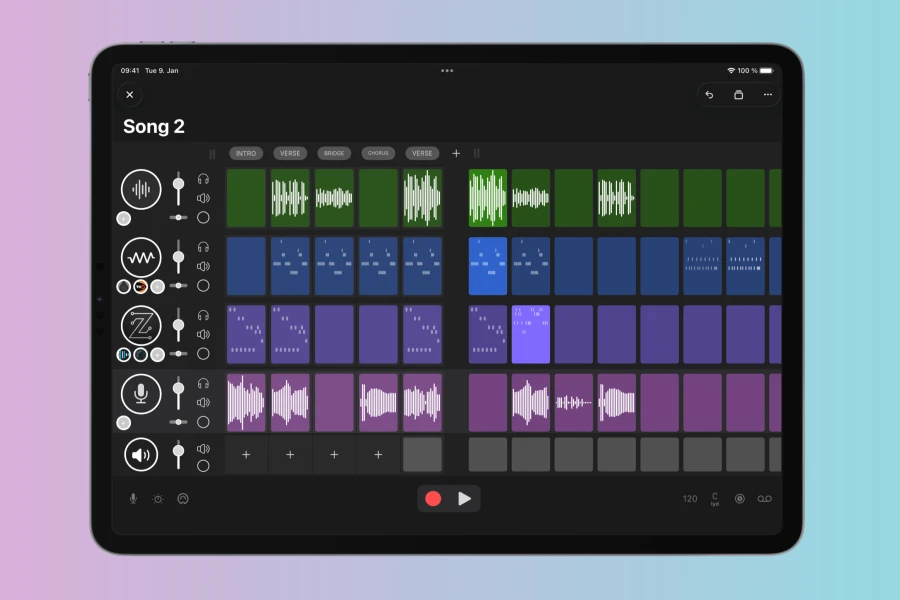
Matteo Caldari has officially launched SAND 3.0, a significant update to its popular clip-based audio MIDI sequencer. Available for both macOS and iOS, this new iteration introduces substantial enhancements, notably the integration of dedicated audio tracks and clips directly within its intuitive grid interface. This development marks a pivotal expansion for SAND, moving beyond its MIDI-centric roots to offer a more comprehensive production environment for electronic music creators. It allows users to sketch out songs with greater flexibility, combining both audio and MIDI elements seamlessly.
Enhanced Audio Capabilities
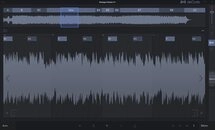
A cornerstone of SAND 3.0 is its robust audio functionality. Users can now effortlessly import audio with a convenient preview feature, streamlining the process of integrating external sounds. Moreover, the sequencer supports direct audio recording into clips, complete with per-track input and arming capabilities, making it simpler to capture performances or external instruments. The built-in audio editor provides a comprehensive suite of tools for manipulating audio clips. For instance, producers can crop, stretch, fade, normalize, reverse, and adjust the pitch of audio. Furthermore, the ability to split clips offers detailed control, ensuring precise edits for perfect sound design.
Streamlined Workflow and MIDI Control
Beyond audio, SAND 3.0 brings a host of workflow improvements designed to enhance the user experience. The MIDI clip editor allows for detailed note editing, chord building, and automation of plugin parameters, all within a focused piano-roll interface. For those utilizing external gear, flexible MIDI control mapping enables users to assign their MIDI controllers to transport functions, mixer controls, and more. This mapping also includes shift keys, effectively expanding the functionality of any control surface. In addition, the update introduces practical features such as project versions, drum pads for rhythmic input, and the ability to mark favorite plugins for quick access. Hidden tracks, customizable track icons, and handle bars in the MIDI editor further refine the user interface. Crucially, SAND 3.0 now includes native Apple Silicon Mac support, ensuring optimized performance on the latest Apple hardware. Project templates also provide a quick start for new creations.
Features
- Audio & MIDI clips: Sketch songs on a grid, arrange, manipulate.
- Audio clip editor: Crop, stretch, fade, normalize, reverse, change pitch, split.
- MIDI clip editor: Edit notes, build chords, automate plugin parameters.
- AUv3 hosting: Load instruments and effects, control parameters, save presets.
- Song mode: Arrange clips in independent sections, scene launching.
- Import & export: Export clips (audio/MIDI), projects (Ableton Live sets), record performances with stems.
- MIDI control: Map controllers to transport, mixer, with flexible shift keys.
- Workflow improvements: Project versions, drum pads, favorite plugins, hidden tracks, customizable track icons, handle bars in MIDI editor, project templates, native Apple Silicon Mac support.
Price
Base App: 19.98 USD
Audio Tracks: Separate in-app purchase
New users can try SAND free for 14 days, with other features unlocking via one-time in-app purchases after the trial.
👍 Pros
- ✓ Comprehensive clip-based sequencing for audio and MIDI.
- ✓ Integrated AUv3 hosting for instruments and effects.
- ✓ Robust audio editing capabilities within the sequencer.
- ✓ Cross-platform compatibility (macOS and iOS) with Apple Silicon support.
- ✓ Workflow enhancements like project versions, templates, and MIDI mapping.
👎 Cons
- ✗ Audio Tracks feature requires a separate in-app purchase after the initial app cost.
- ✗ The free trial is limited to 14 days, with other features unlocking via additional in-app purchases.
More info: Matteo Caldari | SAND 3.0
HIT OR SHIT Indicator
💩
Indication by Noizefield
Average Indication by Readers
🚀
What do you think?
Hit or Shit? Please rate from 1 (💩) to 10 (🚀)
✅ You already voted. Thanks!
Check these out!