Run VST Plugins on Akai MPC OS Standalone
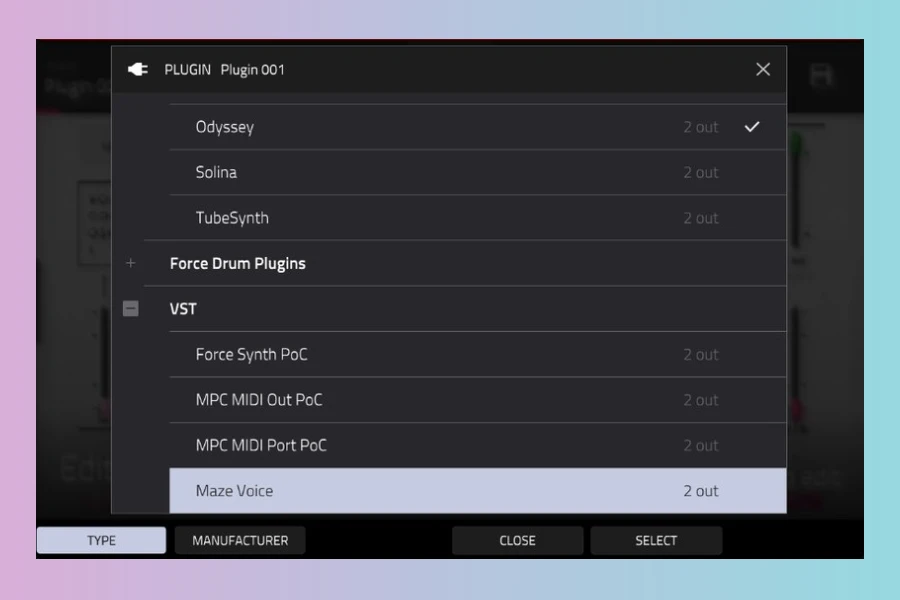
Run VST Plugins on Akai MPC OS
A new open-source project by GitHub user sd88me enables native VST2 plugins to run directly on Akai MPC OS standalone devices. This includes the MPC Live, MPC One, MPC X, MPC Key, and the Force. The project, called mpc-vst-plugins, provides a complete development kit for building and running plugins that integrate seamlessly with the MPC environment.
Unlike previous workarounds, this approach uses the built-in plugin host that MPC OS already contains. It loads Linux VST2 plugins as native instruments and effects. They appear in the plugin browser, can be added to tracks, and are saved with the project. There is no bridge or background app involved.
How It Works
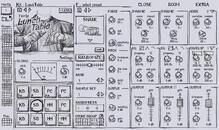
The plugin is a small Linux library that runs on the device’s ARM processor. It is placed in the /sdcard/vst/ folder and registered in the MPC.settings file. Each plugin gets its own touchscreen page, which is defined by a JSON skin description and PNG artwork. Controls like knobs and buttons are bound to plugin parameters, giving a native feel.
The repository includes tools for building plugins, testing them, and packaging them as shareable zips. A porting kit allows developers to describe an engine’s parameters in one file and automatically generate the plugin, its page, and Q-Link mappings.
What’s Possible
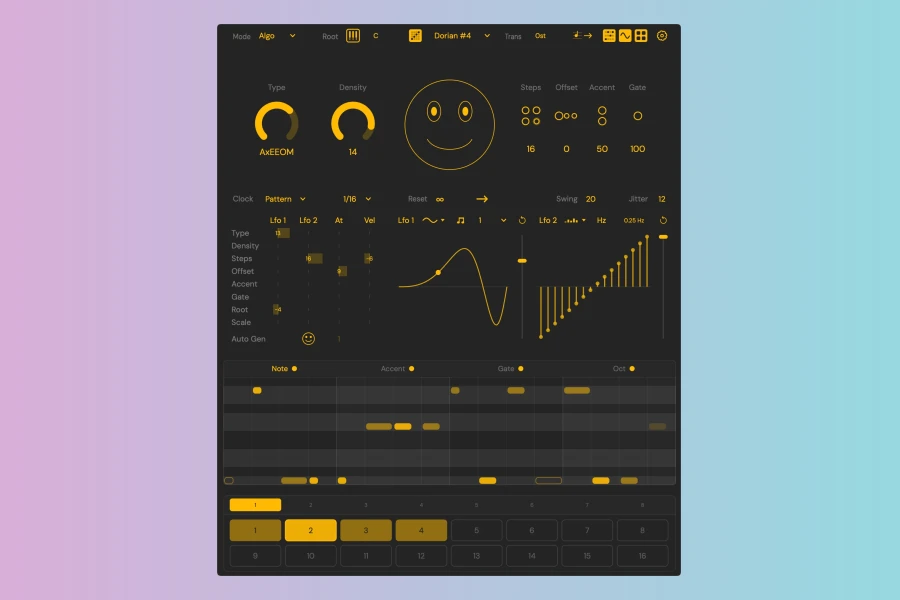
Several example plugins are already included. Among them are Maze Voice, a thru-zero FM synth; DX7, a 6-operator FM synth based on Dexed; and JV-880, a port of the Mini-JV. There is also Crate Digger, which streams records from Discogs, and Euclidier, an 8-lane Euclidean sequencer. These demonstrate the potential for synths, effects, and even MIDI generators.
Plugins can access the network, read and write files, and run helper programs. This opens the door for app-like plugins that fetch data or stream audio. The project also includes a Skin Studio, a browser-based editor for designing custom pages.
Features
- Native VST2 plugin support with MPC touchscreen pages
- Porting kit for building plugins from existing engines
- Skin Studio for designing custom pages in the browser
- Example plugins including FM synths and MIDI generators
- CPU benchmarking and testing tools
Limitations
There are some notable constraints. The system only supports VST2; VST3 and LV2 are not available. Adding a plugin requires file access to the device and a restart of MPC. There is no custom-drawn widget support, so envelopes and XY pads are not possible. Plugin MIDI output is ignored, though generators can work around this by opening their own MIDI port.
Performance is also a consideration. Gen1 hardware has a 4-core ARM chip at 1.8 GHz, and plugins must stay within a tight budget. A crash in a plugin can take down the entire MPC, so risky code should run in a separate process.
Availability
The project is free and open-source, available on GitHub. It is intended for personal, non-commercial experimentation on hardware you own. The developer notes that editing MPC.settings is at your own risk, so backing up files is recommended.
This project is still in early stages, but it already works on real hardware. It offers a new way to extend the capabilities of Akai MPC standalone devices with custom VST2 plugins.
Pros
- Native VST2 plugin support on MPC OS
- Custom touchscreen pages with live text readouts
- Includes porting kit and Skin Studio for building plugins
Cons
- Only VST2 format is supported
- Requires file access and MPC restart to install plugins

More info: sd88me | mpc-vst-plugins
HIT OR SHIT Indicator
💩
Indication by Noizefield
Average Indication by Readers
🚀
What do you think?
Hit or Shit? Please rate from 1 (💩) to 10 (🚀)
✅ You already voted. Thanks!
Check these out!